别再空点 Allow:Claude Code 从记忆文件到 Hooks 的可复制提效手册
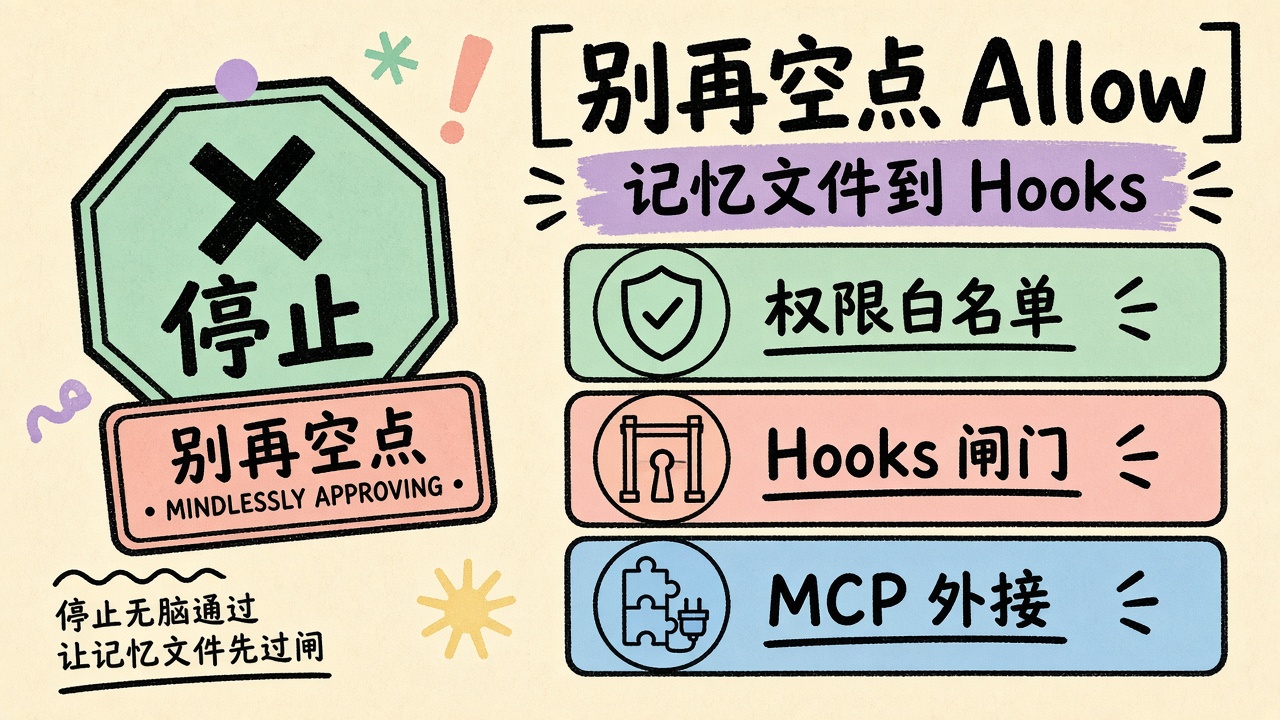
源微信页触发了验证码拦截(wappoc_appmsgcaptcha)。正文不以源文清单为底稿,而以 Claude Code 官方 Best practices、Common workflows、Memory / CLAUDE.md、Permissions、Hooks、MCP quickstart 为准,整理成可直接复制的命令、配置与 Prompt。目标不是「再数一遍技巧」,而是把你从「每一步都点 Allow」推进到「记忆文件 + 权限白名单 + Hooks + MCP」四层 harness。
Claude Code 的核心约束只有一句:上下文窗口填满得很快,性能会跟着掉。 后面几乎所有技巧,要么在省上下文,要么在给 Agent 可自检的闭环。
一、先装对入口,再谈技巧
1. 用官方原生安装,少踩包管理器坑
macOS / Linux / WSL:
curl -fsSL https://claude.ai/install.sh | bash
cd your-project
claude
Windows PowerShell:
irm https://claude.ai/install.ps1 | iex
官方推荐原生安装(后台自动更新)。Homebrew / WinGet 可用,但不会自动更新,要自己 brew upgrade claude-code 或 winget upgrade Anthropic.ClaudeCode。
2. 一句话启动:把任务写进启动命令
claude "write tests for the auth module, run them, and fix any failures"
比先开空会话再闲聊更稳:第一轮就带着目标与验收标准。
3. 管道模式:把日志/diff 当 stdin
tail -200 app.log | claude -p "Slack me if you see any anomalies"
git diff main --name-only | claude -p "review these changed files for security issues"
git log --oneline -20 | claude -p "summarize these recent commits"
-p 是无交互 one-shot,适合 CI、脚本、批处理。需要结构化输出时加 --output-format json。
4. 危险开关只给隔离环境
claude --dangerously-skip-permissions -p "run the test suite and fix any failures"
官方明确:这是无人值守/沙箱场景用的。本机日常开发优先用权限白名单与 /sandbox,不要一上来全局跳过确认。
二、记忆层:CLAUDE.md 写短、写可验证
5. /init 生成骨架,再人工裁剪
在项目根目录会话里跑:
/init
Claude 会扫仓库,起草构建命令、测试入口与约定。已有文件时它倾向「建议增量」而不是覆盖。需要交互式多产物初始化可设:
export CLAUDE_CODE_NEW_INIT=1
6. CLAUDE.md 模板(可直接粘贴)
# Build & Test
- Install: `pnpm install`
- Unit: `pnpm test -- <path>`(优先单测,不要默认全量)
- Typecheck: `pnpm typecheck`
- Lint: `pnpm lint`

# Code style
- ES modules only(禁止 CommonJS `require`)
- API handlers live in `src/api/handlers/`

# Workflow
- 改完一组文件必须跑 typecheck
- 禁止把真实密钥写进代码或示例;用 `sk-your-api-key-here`
- PR 标题用英文祈使句,正文写风险与回滚

# Gotchas
- `.env` 只允许本地;Claude 不得读取或打印其内容
官方建议:单文件尽量压到 200 行以内。对每一行问:「删掉它 Claude 会不会犯错?」不会就删。
7. 分层记忆:团队 / 个人 / 本地
| 文件 | 是否提交 | 用途 |
|---|---|---|
CLAUDE.md 或 .claude/CLAUDE.md |
是 | 团队共享:架构、构建、约定 |
CLAUDE.local.md |
否 | 本机路径、个人偏好 |
~/.claude/CLAUDE.md |
否(用户级) | 跨项目个人习惯 |
.claude/rules/*.md |
通常是 | 按路径/文件类型作用域规则 |
8. 用 @ 导入,别把百科全书塞进一个文件
在 CLAUDE.md 里:
@docs/architecture.md
@docs/testing.md
相对路径相对写 import 的那个文件解析。代码块里的 `@README` 不会触发导入。
9. 用 /context 与 /doctor 验收
/context
/doctor
/context 看 Memory files 是否真的加载;/doctor 可让 Claude 提议砍掉「读代码就能推出」的废话。
10. 可复制 Prompt:让 Claude 面试你再写规格
I want to build [一句话功能描述]. Interview me in detail using the AskUserQuestion tool.

Ask about technical implementation, UI/UX, edge cases, concerns, and tradeoffs.
Don't ask obvious questions — dig into the hard parts I might not have considered.

Keep interviewing until we've covered everything, then write a complete SPEC.md.
The spec must name files/interfaces, list out-of-scope items, and end with an end-to-end verification step.
写完规格后 /clear 开新会话 再实现——干净上下文专注施工,比在长对话里硬拗更稳。
三、权限层:少点 Allow,不等于裸奔
11. 打开权限面板
/permissions
规则求值顺序是固定的:deny → ask → allow。宽 deny 会盖住窄 allow。
12. 项目级 settings.json 白名单(可提交)
.claude/settings.json:
{
  "$schema": "https://json.schemastore.org/claude-code-settings.json",
  "permissions": {
    "allow": [
      "Bash(pnpm lint)",
      "Bash(pnpm test *)",
      "Bash(pnpm typecheck)",
      "Bash(git status *)",
      "Bash(git diff *)",
      "Bash(git commit *)"
    ],
    "deny": [
      "Read(./.env)",
      "Read(./.env.*)",
      "Bash(git push *)",
      "Bash(rm *)"
    ]
  }
}
个人临时批准会进 .claude/settings.local.json(默认不进 git)。团队规则进共享文件,个人例外进 local。
13. Bash 规则写法要点(官方踩坑摘要)
Bash(npm run *)允许npm run test,不允许npm installBash(git log *)比Bash(git *)更安全&&/|会拆成子命令分别匹配;safe && evil不会因为前半段 allow 而整条放行timeout/nice/npx等包装行为不同:环境运行器(docker exec、npx)不会被自动剥掉,要写到具体内层命令
14. 权限模式怎么选
| 模式 | 适合 |
|---|---|
| Manual / 默认询问 | 陌生仓库、高风险改动 |
acceptEdits |
信任文件写入,但仍审 Bash |
plan |
先看计划再动盘:claude --permission-mode plan 或会话内 Shift+Tab |
| auto(部分套餐默认) | 分类器代审,仍建议配 deny 清单 |
dontAsk |
只跑已 allow 的动作;未列出会被拒 |
会话内也可:
claude --permission-mode plan
15. /sandbox:用 OS 隔离换更少弹窗
/sandbox
沙箱限制文件系统与网络边界后,Agent 在边界内可以更自由地跑命令。需要真正安全边界时,优先沙箱 + deny,而不是 --dangerously-skip-permissions。
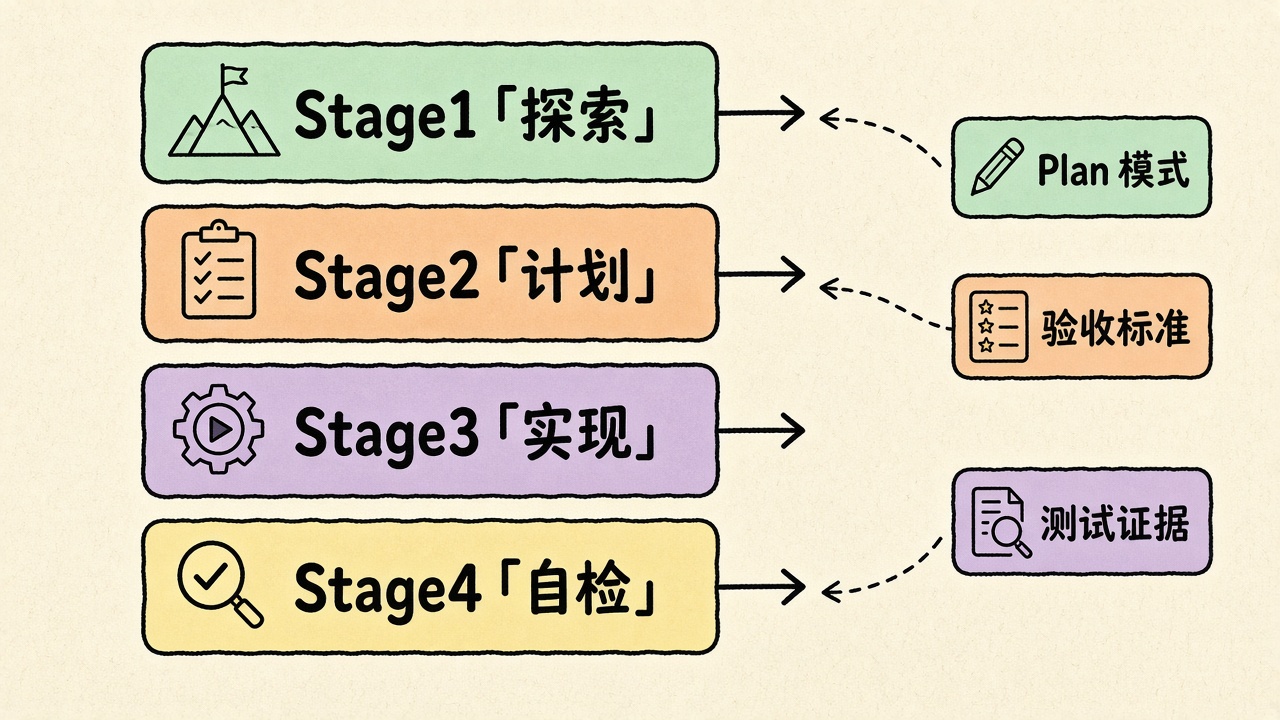
四、工作流:探索 → 计划 → 实现 → 可验证闭环
16. Plan mode 四阶段 Prompt
read src/auth and understand how we handle sessions and login.
also look at how we manage environment variables for secrets.
I want to add Google OAuth. What files need to change?
What's the session flow? Create a plan.
计划可用 Ctrl+G 在外部编辑器改完再批准。
implement the OAuth flow from your plan. write tests for the
callback handler, run the test suite and fix any failures.
commit with a descriptive message and open a PR
小改动(改名、加日志)可以跳过计划;多文件/不确定方案时不要跳。
17. 把验收标准写进同一条 Prompt
差:
implement a function that validates email addresses
好:
write a validateEmail function. example test cases:
user@example.com → true, invalid → false, user@.com → false.
run the tests after implementing and show the test output.
官方强调:没有可跑检查时,「看起来做完了」是唯一信号,你就会变成人肉验收环。
18. /goal:跨多轮的完成条件
/goal tests in test/auth pass and lint is clean
评估器用小模型读 transcript 证据,不会自己跑命令。所以主 Agent 必须把测试输出写进对话。模糊目标(「优化一下」)会导致空转或误停。
19. /loop:会话内轮询
/loop 5m 检查部署是否完成,告诉我发生了什么
/loop 看看 CI 过了没,处理新增的评审意见
关终端就停;固定间隔任务有过期;自适应 loop 在 --resume 后不会自动恢复。
20. 可复制调试 Prompt
users report that login fails after session timeout.
check the auth flow in src/auth/, especially token refresh.
write a failing test that reproduces the issue, then fix it.
address the root cause — don't suppress the error.
run the tests and paste the output.
21. 可复制重构 Prompt
look at how existing widgets are implemented on the home page.
HotDogWidget.php is a good example. follow the pattern to implement
a calendar widget that lets the user select a month and paginate
year. build from scratch without new libraries. run related tests.
22. @ 引用文件,少让模型盲搜
Explain the logic in @src/utils/auth.js
What's the structure of @src/components?
Show me the data from @github:repos/owner/repo/issues
23. 子 Agent 做调研,主会话留给实现
Use subagents to investigate how our authentication system handles token
refresh, and whether we have any existing OAuth utilities I should reuse.
Report findings only — do not edit files yet.
调研读文件很费上下文;子 Agent 在独立窗口读,只回摘要。
五、会话管理:上下文是稀缺资源
24. 高频斜杠命令
| 命令 | 作用 |
|---|---|
/clear |
无关任务之间硬重置 |
/compact Focus on the API changes |
带焦点压缩 |
/btw |
旁路提问,答案不进主历史 |
/rewind 或 Esc Esc |
回退对话/代码检查点 |
/rename oauth-migration |
会话命名,方便 --resume |
/model |
会话中切模型 |
/cost /status |
费用与配置来源 |
/verify |
对照运行中的应用再确认 |
25. 纠偏节奏
Esc:中途打断,上下文保留,可改口令- 同一问题上纠正超过两次:直接
/clear,把教训写进更具体的新 Prompt - 检查点只覆盖 Claude 的文件编辑工具;Bash 与外部进程改动不在快照里——git 仍是真理源
26. 续聊与并行
claude --continue
claude --resume
claude --worktree feature-auth
claude --from-pr 1234
--worktree 要仓库至少有一个 commit。并行改同一工作树会互相踩,隔离工作树才是并行的正确打开方式。
六、Hooks:把「必须发生」从建议变成闸门
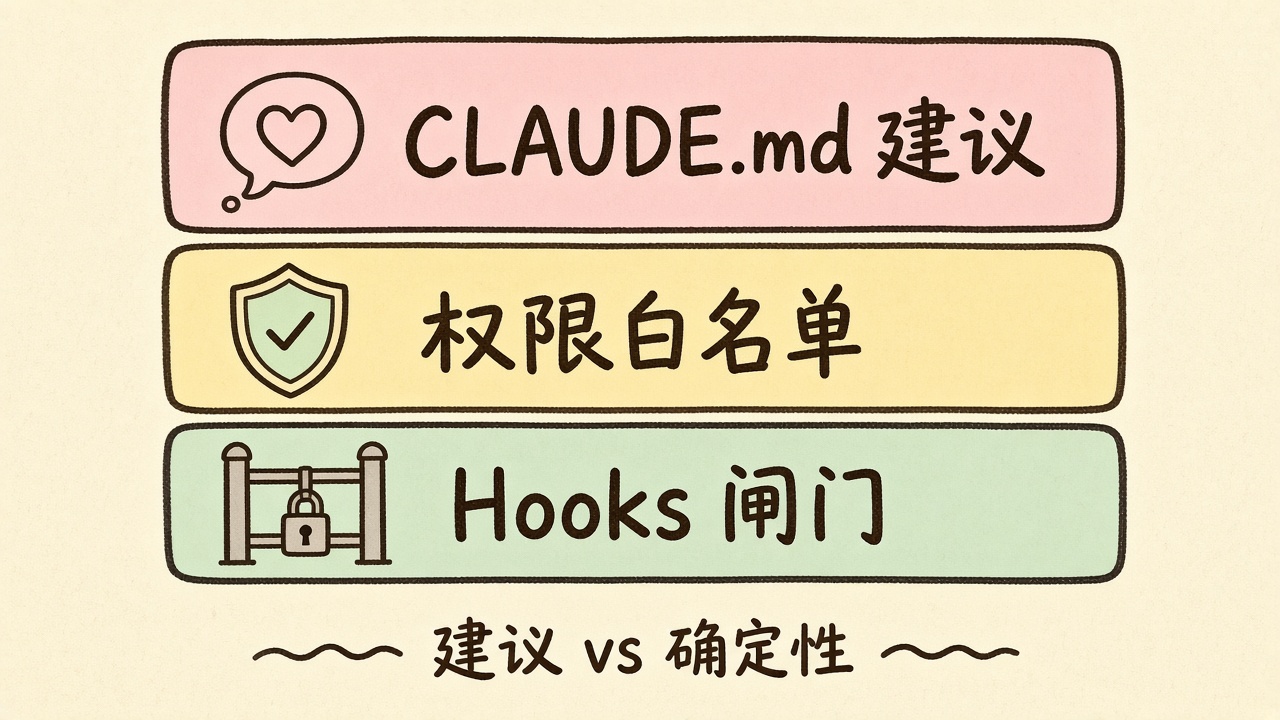
27. CLAUDE.md 是建议,Hooks 是确定性
官方原话逻辑:Prompt / CLAUDE.md 影响模型「想做什么」;真正拦下来的是 /permissions、权限规则、权限模式或 PreToolUse hook。
让 Claude 帮你写:
Write a PostToolUse hook that runs eslint after every file edit.
Write a PreToolUse hook that blocks writes to the migrations folder.
然后用:
/hooks
查看已加载配置。
28. PostToolUse:编辑后自动 typecheck(示例)
.claude/settings.json 片段:
{
  "hooks": {
    "PostToolUse": [
      {
        "matcher": "Edit|Write",
        "hooks": [
          {
            "type": "command",
            "command": "pnpm typecheck 2>&1 | head -40"
          }
        ]
      }
    ]
  }
}
29. PreToolUse:拦危险 Bash(思路)
用 matcher/if 锁定 Bash(rm *) 之类模式,脚本读 stdin JSON,返回 deny 决策。细节以 Hooks reference 为准;团队共享时把脚本放在 ${CLAUDE_PROJECT_DIR}/.claude/hooks/。
30. Stop hook:确定性停机闸
把测试/构建做成 Stop hook:不通过就不允许本轮结束。官方提醒:连续拦截约 8 次后系统可能强制结束——闸门要写清楚失败原因,避免死磕。
七、MCP 与 Skills:外接工具与可复用流程
31. 三分钟挂上第一个 MCP
claude mcp add --transport http claude-code-docs https://code.claude.com/docs/mcp
claude mcp list
会话内:
/mcp
需要浏览器自动化时:
claude mcp add playwright -- npx -y @playwright/mcp@latest
团队共享写 .mcp.json(--scope project),克隆后需人工批准,防止仓库偷偷起进程。
32. 项目 .mcp.json 骨架
{
  "mcpServers": {
    "claude-code-docs": {
      "type": "http",
      "url": "https://code.claude.com/docs/mcp"
    },
    "playwright": {
      "command": "npx",
      "args": ["-y", "@playwright/mcp@latest"]
    }
  }
}
33. Skill:把重复流程收成斜杠命令
.claude/skills/fix-issue/SKILL.md:
---
name: fix-issue
description: Fix a GitHub issue end-to-end
disable-model-invocation: true
---
Analyze and fix GitHub issue: $ARGUMENTS.


1\. `gh issue view $ARGUMENTS`

2\. Reproduce / locate root cause in repo

3\. Implement fix with tests

4\. Run lint + targeted tests

5\. Commit, push, open PR with risk notes
调用:
/fix-issue 1234
disable-model-invocation: true 适合有副作用、必须人手触发的流程。
34. 子 Agent 定义:安全评审员
.claude/agents/security-reviewer.md:
---
name: security-reviewer
description: Reviews code for security vulnerabilities
tools: Read, Grep, Glob, Bash
model: opus
---
You are a senior security engineer. Review for:
- Injection (SQL, XSS, command)
- AuthZ/AuthN flaws
- Secrets in code
- Insecure data handling

Cite file:line and suggest concrete patches. Do not rewrite unrelated code.
35. CLI 工具优先于「让模型猜 API」
Use `gh --help` if needed, then:
1) list open PRs labeled needs-review
2) summarize risk
3) draft review comments for the top 3 issues
gh / aws / gcloud 比让模型裸调 REST 更省上下文、更少撞限流。
八、排坑清单(边界警告)
单次引用块控制在 300 字内。下面分条写,避免微信拦截。
1. 上下文膨胀:长会话里堆失败尝试会拖垮后续质量;该 /clear 就清。
2. CLAUDE.md 过长:规则变多等于规则变弱;迁到 Skills / path rules。
3. allow 写太宽:Bash(git *) 可能覆盖危险子命令;按子命令收敛。
4. deny 不是 OS 沙箱:Bash(rm *) 拦不住 /bin/rm 或 bash -c 'rm ...';要硬边界用 /sandbox + PreToolUse。
5. Hooks 失败要可读:脚本应把失败原因打到 stdout,否则 Agent 只会盲重试。
6. MCP 项目作用域需批准:克隆仓库后记得 /mcp 点同意。
7. 检查点 ≠ git:Bash 改动、外部格式化不进 rewind 快照。
九、一张落地顺序表
| 顺序 | 动作 | 命令/产物 |
|---|---|---|
| 1 | 装好并进入仓库 | claude |
| 2 | 生成并裁剪记忆 | /init → 编辑 CLAUDE.md |
| 3 | 配权限 | /permissions + .claude/settings.json |
| 4 | 加确定性闸门 | Hooks + /hooks |
| 5 | 接外部系统 | claude mcp add ... / .mcp.json |
| 6 | 收重复流程 | .claude/skills/、.claude/agents/ |
| 7 | 日常任务 | Plan → 实现 → 测试证据 → commit/PR |
配套样例见本页 practice/:sample-claude-md.md、sample-settings.json、check_env.sh。把它们拷进真实仓库前,先按自己的包管理器改命令名。
参考
💻 配套实训环境与动手练习
本文涉及的相关技术指令、开发环境与工具链已内置在边学边练在线实验室中,无需繁琐安装配置,随时在浏览器中实践体验: